Posty

Wyświetlam posty z etykietą AngularJS

Angularjs example MotoAds more advanced directive

Obraz
Another thing we will add to MotoAds demo application is a feature which allows us to comment each advert. A good idea would be to realize this as AngularJS directive. It will look like in the picture below. We can see all added comment to advert, click on Comment link activate the comment form with Preview, Send and Cancel buttons. The comment form we will realize as AngularJS directive. Before we start let's look at changed adverts.json , there is the additional comments field (array of comments): [ { "brandName": "Audi", "modelName": "A1", "year": 2011, "price": 35000, "imageUrl": "img/audi_a1_1.jpg", "countryName": "Germany", "regionName": "Bavaria", "comments" : [ "This car is awesome I want it\nBeatiful color\nFunny look", "Very cool vehicle\nJust perfect" ] } ] ]]...

AngularJS example MotoAds with NodeJS and MongoDB

Obraz
I built MotoAds demo application in AngularJS but it did not have any server layer. Data was read directly from the json files. So I was decided to build the server side services. I know pretty well JEE and relational database, so I could use it. But I want to know something new so I chose NodeJS nad MongoDB. Thanks to this decision I got a full stack JavaScript application. It's incredible to use JavaScript to build the complete application. Now MotoAds demo application consists of: User interface in AngularJS and Bootstrap with full CRUD operations: add, read, edit and remove adverts. Server service layer was built in NodeJS with RESTful serrvices. To simplify the use of a NodeJS I used ExpressJS. Database: all data except the pictures are stored in MongoDB. So let's see how to add the CRUD operations in AngularJS with services in NodeJS with MongoDB. Step 1 We write in services.js access to our RESTful services: 'use strict'; var motoAdsServ...

AngularJS resource with JSONP

Obraz
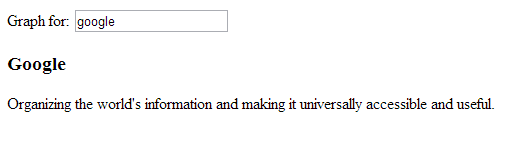
Lately I struggled to get access to facebook by JSONP. I try to do it in AngularJS with factory and resource. I want to share with people my solution. Let's try to connect to the Facebook Graph. Firstly, we create index.html file with input graph.username , after type a value there is called getGraph() . The result of the calling this function is saved in $scope.result so we can display it. AngularJS resource with JSONP

AngularJS example MotoAds end-to-end tests

Obraz
E2E (end-to-end) tests result: Application folders tree: In previous post I showed how to write and run unit tests. Now, I will present how to test DOM manipulation or the wiring of our application. Angular Scenario Runner which simulates user interactions that will help us to do that. Recall adverts.html code which we should know to simulate user interaction: Adverts {{model.name}} Adverts search Country Region Year of production Filters: {{filter.brandName}} {{filter.modelName}} {{filter.country.name}} ...

AngularJS example MotoAds unit tests

Obraz
Unit tests result: Application folders tree: In Angular the controller is separated from the view so it is easy to add the unit tests to MotoAds application. Recall the controller code which will be tested ( controllers.js ): motoAdsApp.controller('AdvertsController', ['$scope', 'Brand', 'Country', 'Advert', function($scope, Brand, Country, Advert) { $scope.oneAtATime = true; $scope.brands = Brand.query(); $scope.countries = Country.query(); $scope.sortByCols = [{ "key": "year", "name": "Year" }, { "key": "price", "name": "Price" }]; $scope.adverts = []; var allAdverts = Advert.query(filterAdverts); $scope.filter = { brandName: null, modelName: null, country: null, region: null, yearFrom: null, yearTo: null }; $scope.isAnyFilter...

AngularJS example MotoAds more advanced than the tutorial on angularjs.org

Obraz
I have just been learning AngularJS and decided to build demo application that cover more techniques than the tutorial on angularjs.org . This application is only demo so it do not have complete server side, some features have the todos and there is not any test. This demo application is some kind of automotive adverts portal, so I called it MotoAds. It has two main features: List of adverts – includes an advanced filtering and sorting. Add advert – a form with some client side field validations. MotoAds application looks like this: Application folders tree: Root file index.html included external resource: bootstrap.css (2.3.2) angular.js, angular-resource.js (1.0.8) ui-bootstrap-tpls-0.6.0.js (0.6.0) and internal resource: app.css app.js services.js controllers.js Bootstrap angular application, add navigation and route templates In index.html we auto-bootstrap the angular application by defining directive ng-app : In app.js we define new...

AngularJS tutorial - my problems and solutions

Due to the fact that AngularJS gaining wider group of supporters and I decided to become familiar with its capabilities. So I started from AngularJS tutorial . At first I had to install: node.js, karma, git I already had (went smoothly). Step 0, Step 1 and almost finished Step 2 if no Section Tests, with whom I had a few problems - we are happy to share them, because maybe some of my suggestions will benefit and save some time. Let me just mention that I am acting in a Windows environment. Step 0, 1 success Step 2 problems Problem #1 The node.js console show me wrong path to Chrome: ERROR [launcher]: Cannot start Chrome Can not find the binary C:\Users\myuser\AppData\Local\Google\Chrome\Application\chrome.exe Please set env variable CHROME_BIN I set it at: set CHROME_BIN=C:\Program Files\Google\Chrome\Application\chrome.exe Of course, best to add it directly to the system environment variables. Problem #2 In file D:\angular-phonecat\test\unit\controlle...